
Latest Version
Update
February 11, 2026
February 11, 2026
Developer
E-Global Inc.
E-Global Inc.
Categories
Design
Design
Downloads
0
0
License
Nstant
Nstant
Package Name
nstant
nstant
Report
Report a Problem
Report a Problem
More About Customer
Customer Browses and Selects Items
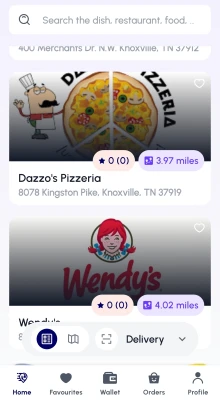
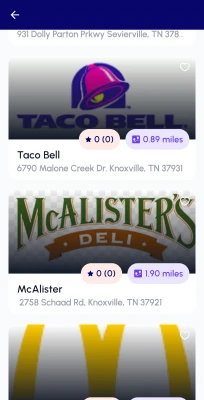
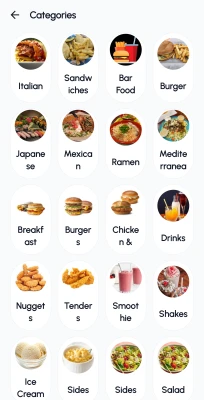
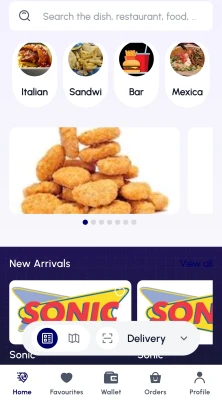
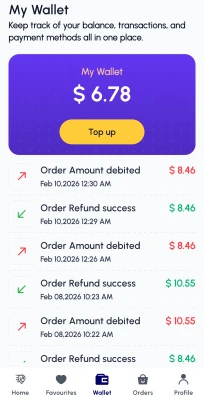
The customer opens the app or website and browses a list of restaurants, each with its own menu. The platform hosts multiple vendors (restaurants), allowing the customer to choose from various food options. The customer selects items, customizes them if necessary (e.g., choosing toppings or side dishes), and adds them to the cart.
- Customer Browses and Selects Items
- The customer opens the app or website and browses a list of restaurants, each with its own menu. The platform hosts multiple vendors (restaurants), allowing the customer to choose from various food options. The customer selects items, customizes them if necessary (e.g., choosing toppings or side dishes), and adds them to the cart.
- Order Confirmation and Checkout
- Once the customer has added the desired items to the cart, they proceed to checkout. At this stage, they review the order summary, enter the delivery address, select the preferred delivery time (if applicable), and choose a payment method (such as credit card, wallet, or cash on delivery). The customer confirms the order by submitting the details.
- Order Routed to the Vendor
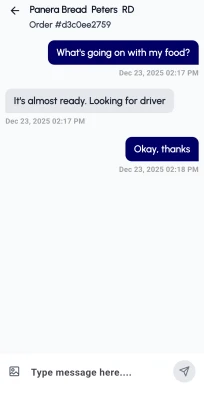
- After confirmation, the system sends the order details to the selected restaurant’s app or website dashboard. The restaurant receives the order in real-time, prepares the food as per the specifications provided, and updates the status in the system. The customer can monitor the status of the order (e.g., “order received,” “preparing,” “ready for pickup”).
- Assigning a Delivery Partner
- While the food is being prepared, the system automatically assigns a nearby delivery partner based on availability, proximity to the restaurant, and delivery location. The delivery partner is notified and instructed to pick up the order once it is ready.
- Order Pickup by Delivery Partner
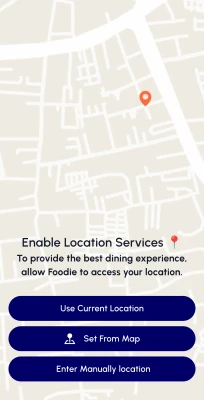
- The delivery partner arrives at the restaurant, checks the order details, and collects the food package. The platform may provide real-time updates to the customer, such as “delivery partner en route to the restaurant” and “food picked up.” The customer can track the delivery partner’s location via the app.
- Delivery to Customer
- The delivery partner transports the food to the customer’s provided address. During this time, the customer can track the live location of the delivery partner and receive estimated time updates. Upon arrival, the delivery partner hands over the food, and the customer confirms receipt of the order.
- Order Completion and Feedback
- After receiving the food, the customer can rate the experience and provide feedback on both the restaurant’s food quality and the delivery service. Payments made during the checkout are settled, and the system records the order as completed. The restaurant and the delivery partner receive their respective shares based on the platform’s commission model.
Rate the App
Add Comment & Review
User Reviews
Based on 0 reviews
No reviews added yet.
Comments will not be approved to be posted if they are SPAM, abusive, off-topic, use profanity, contain a personal attack, or promote hate of any kind.
More »

Popular Apps

Dawn of Zombies: Survival GameRoyal Ark

WhatsApp MessengerWhatsApp LLC

World War Armies: WW2 PvP RTSHypemasters, Inc.

Tank Force: War games of BlitzXDEVS LTD

World War Heroes — WW2 PvP FPSAzur Interactive Games Limited

NordVPN – fast VPN for privacyNord Security

Road to Valor: EmpiresDreamotion Inc.

Grim Soul: Dark Survival RPGBrickworks Games Ltd

Modern Tanks: War Tank GamesXDEVS LTD

Road to Valor: World War IIDreamotion Inc.
More »
Editor's Choice
CustomerE-Global Inc.
Grim Soul: Dark Survival RPGBrickworks Games Ltd

Craft of Survival - Gladiators101XP LIMITED

Last Shelter: SurvivalLong Tech Network Limited
Dawn of Zombies: Survival GameRoyal Ark

Merge Survival : WastelandStickyHands Inc.

AoD Vikings: Valhalla GameRoboBot Studio

Viking Clan: RagnarokKano Games

Vikings: War of ClansPlarium LLC

Asphalt 9: LegendsGameloft SE